Why tracking lien notices has been costly
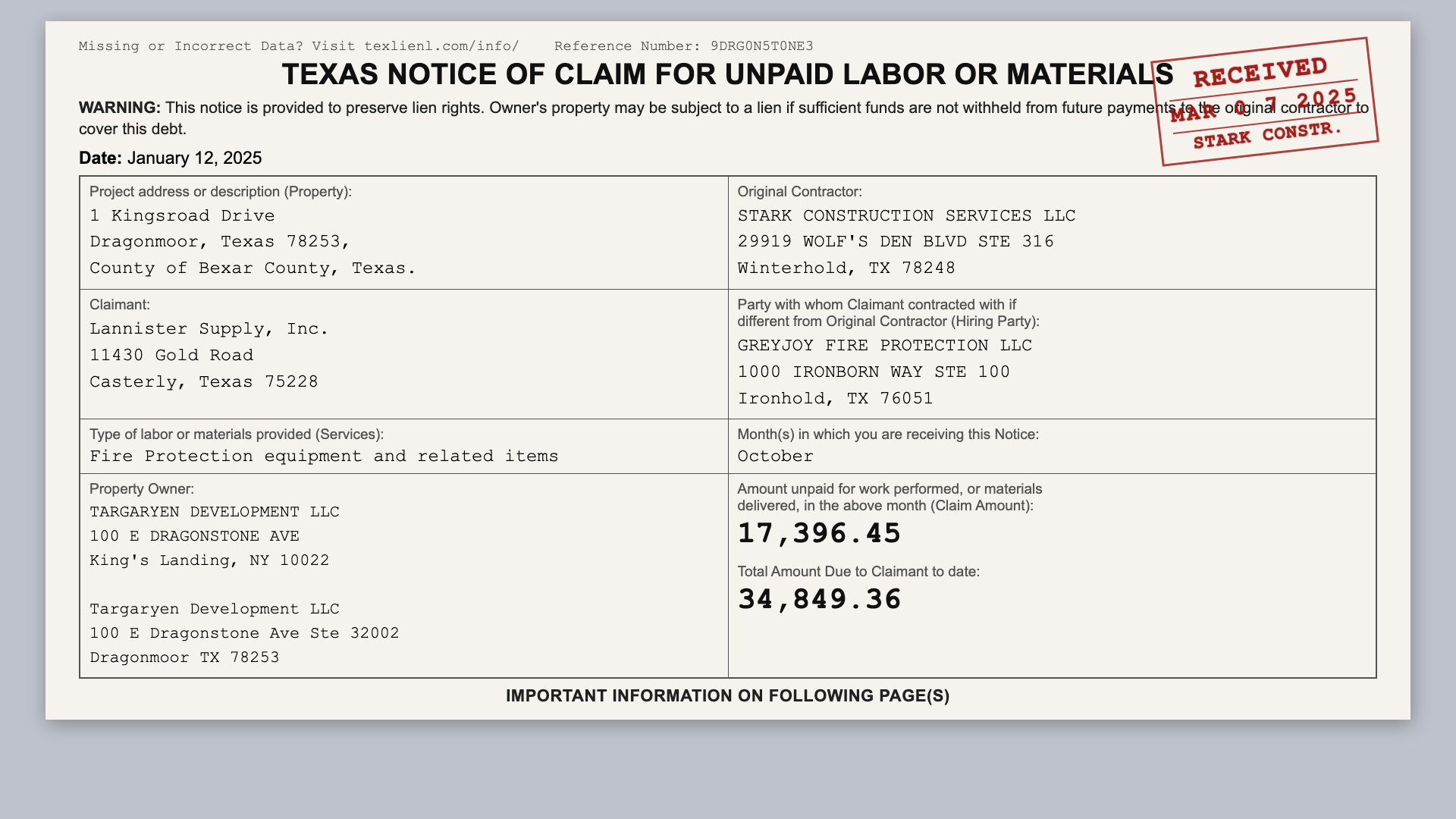
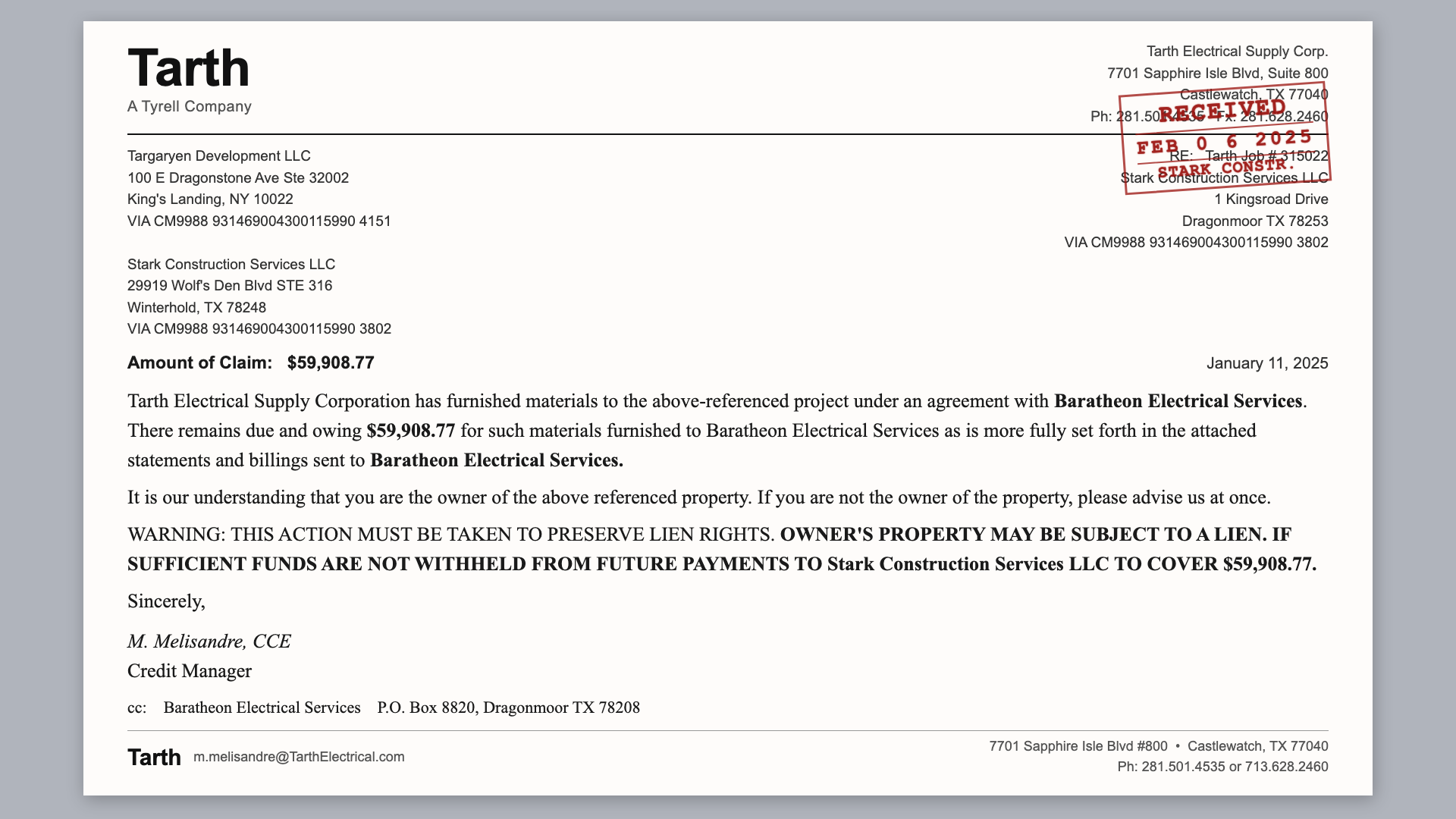
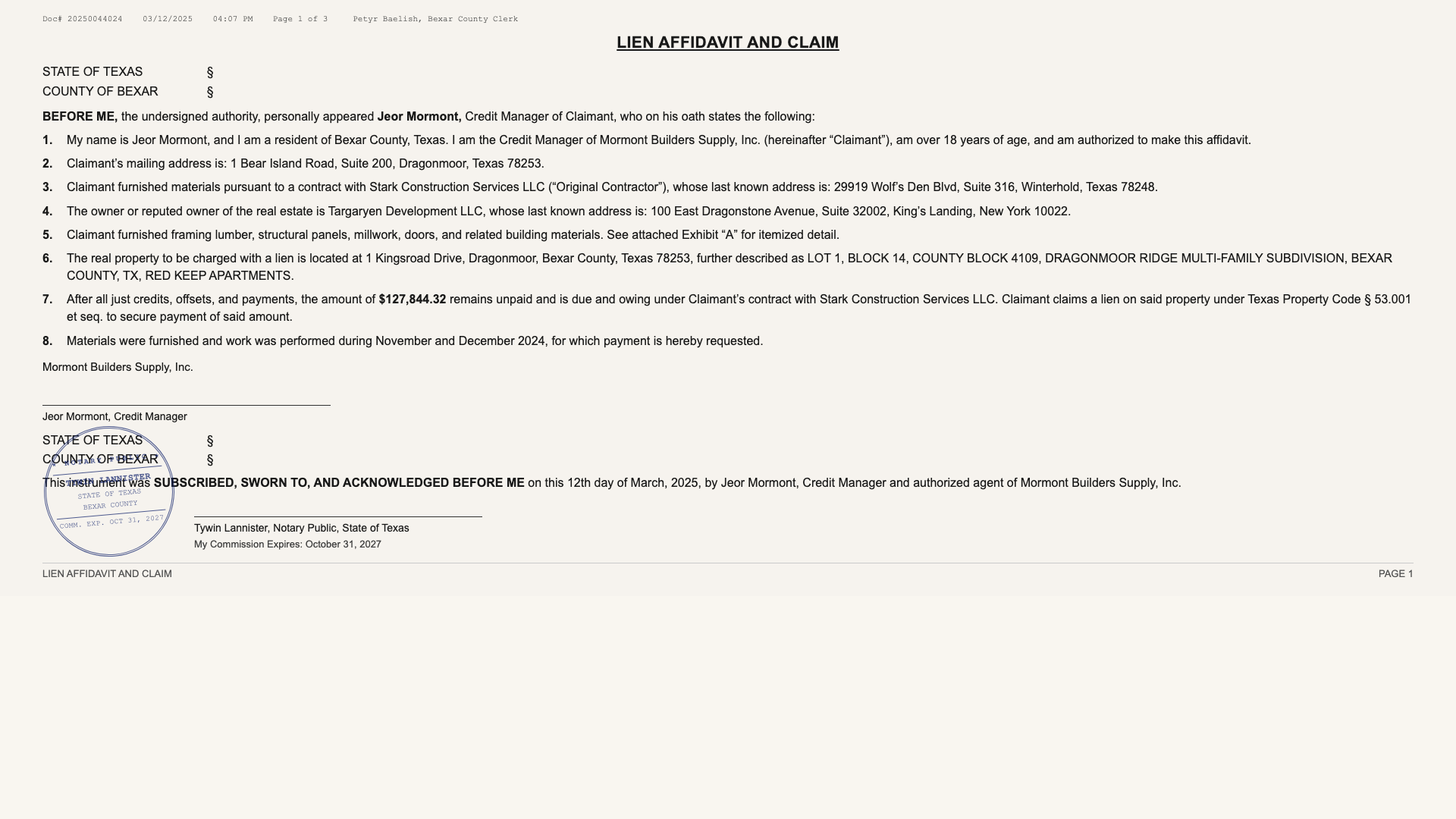
Lien documents are wildly inconsistent: structured printed forms vs. free-form letters (every lawyer has their own way). Key facts are all over the place. And whether one has been notarized and filed changes how the document needs to be handled.
The standard answer is a shared tracking spreadsheet, and in practice it doesn't hold up. People overwrite each other's edits, information drifts out of sync, and worst of all, a person has to comb through a scanned-in PDF to find and type in the important data.
What Bex Liens does
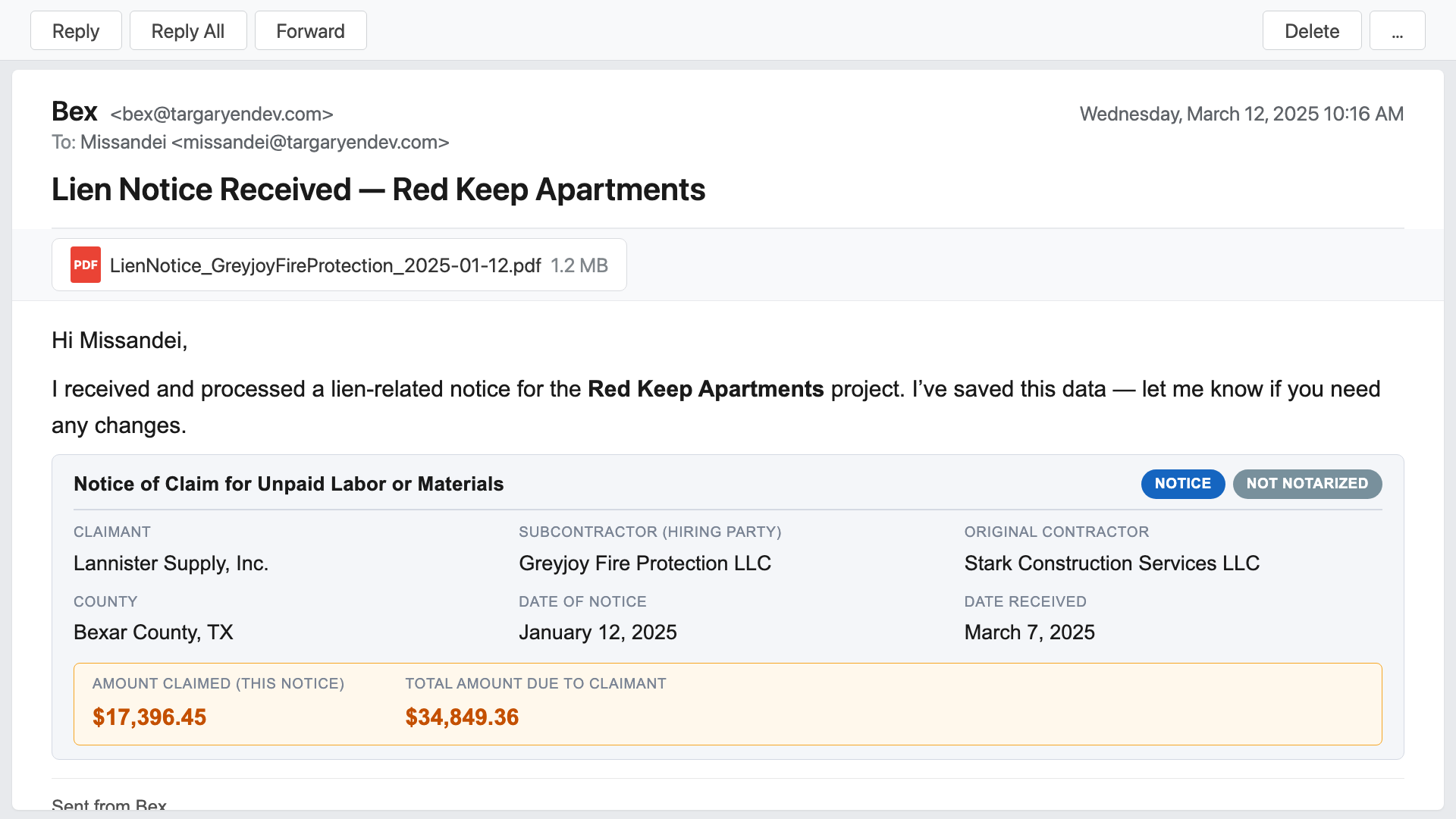
Bex Liens is mail-room-to-accounting-log automation for lien documents. You forward each scanned PDF to Bex and it extracts roughly 22 fields per document, classifies the document type, fuzzy-matches it against your project list, and emails a clean transcription back to the sender for verification. It's now in your master log, but if the sender needs to change data, they simply send an email using natural language. Bex also renames the original PDF for cleaner filing and saves it to SharePoint and/or its internal file viewer.
Periodically, Bex alerts financial coordinators and project accountants on the cadence that fits your needs, so they are always aware of what's coming due for the projects they manage.

Document classification and routing
A recorded lien affidavit and a preliminary notice are different legal instruments with different deadlines. Bex knows what to look for in a filed notice—including the date and county of a notary's stamp. It then routes it according to your business rules. Filed liens can trigger a more urgent escalation path. Releases close out the matching record automatically, and, you can simply tell Bex when an invoice has been paid. Available routing rules include any aspect of the notice—category, dollar amount, date, project, jurisdiction, even claimant and contractor. Bex pushes the most urgent items to the right people without anyone having to remember to check a calendar.
Where the data lives is up to you
Bex Liens can act as your system of record outright, integrate with Procore (or another construction management system), or write the master log and organized PDFs to SharePoint. (If you don't use SharePoint, Bex has its own file browser.) These options aren't exclusive—use all three methods if you like.
How Bex saves you time
- ~22 fields extracted per document, including notarization and filing flags.
- Automatic page rotation: sideways scans are detected and rotated for greater accuracy.
- Project fuzzy-matching: ensures notices are filed against your normalized project names.
- Fully customizable—your business logic and routing rules.
- Audit-ready master log: clean Excel spreadsheet, organized into tabs, with full sort/filter support.
Ad-hoc reports on demand
(Beta feature)
Lien data flows to your team automatically, but you can also ask Bex Liens any question at any time.
“Give me an executive summary in Word of the 5 biggest lien notices from the last 30 days.”
“Please send the master log but only for Travis High and Ridgemont Hill.”
“Show me a table of claimants and dollar values but only if the second letter of the project is a vowel.”
These queries and just about any other you can think of—yes, even that silly one about the vowel—return exactly what you ask for. And once you've gotten a report the way you like, you can set a schedule for Bex to automatically re-run it and email it to the people who need it.